



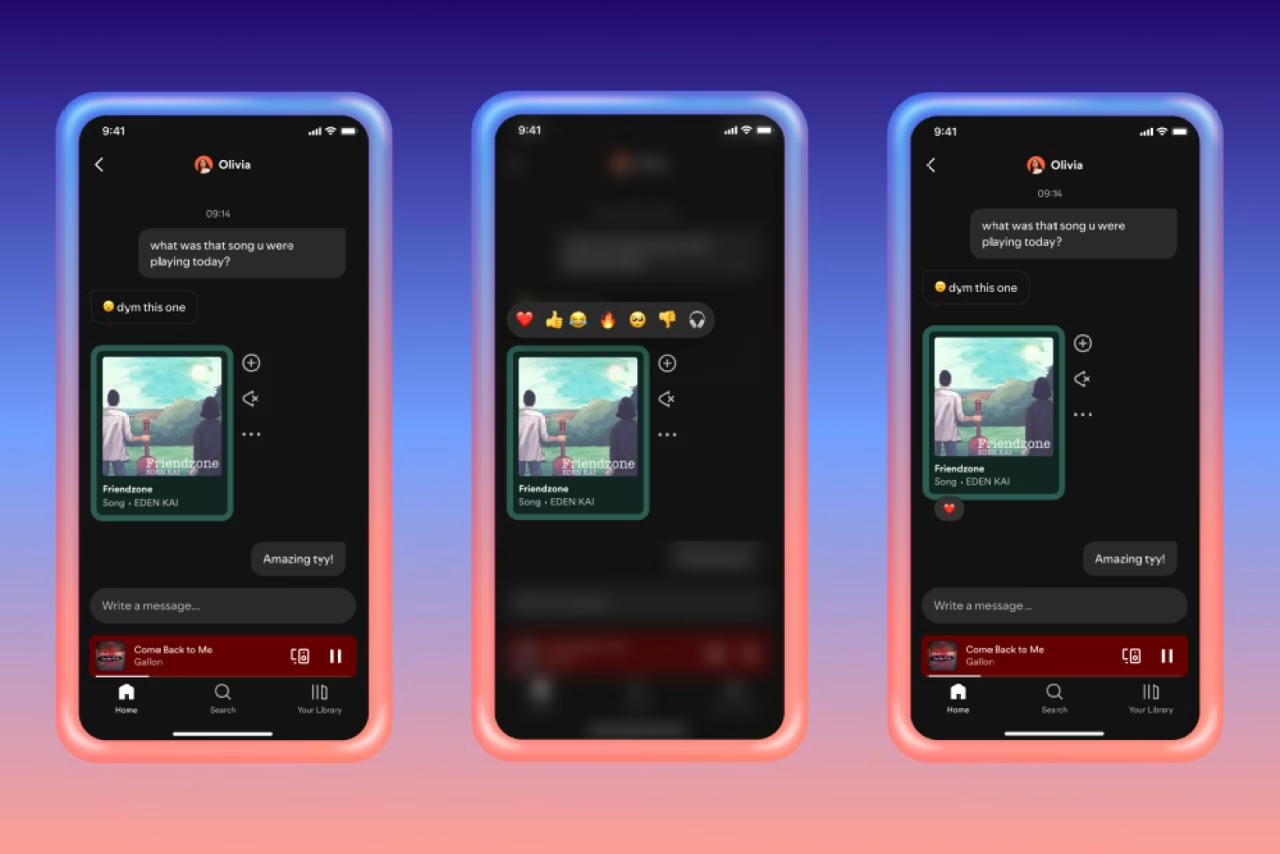



Spotify is adding a new way for users to connect directly within its app. The streaming platform has long allowed fans to share songs, podcasts and audiobooks via external messaging apps and social networks.
Now, with its new Messages feature, Spotify users aged 16 and above in select markets can send one-to-one direct messages on mobile devices, keeping music and recommendations within the platform itself.
According to Spotify, users have expressed a desire for a dedicated space within the app to share their next favourite song, podcast, or audiobook with friends and family and an easy way to keep track of recommendations.

The company says the feature is designed to make sharing more seamless while keeping listeners engaged with the platform.
Spotify acknowledges that it remains to be seen how widely the feature will be used, but the company is betting that native messaging will encourage greater interaction and listening.




Messages are intended to complement, not replace sharing on Instagram, Facebook, WhatsApp, Snapchat, TikTok and other platforms.
The feature suggests contacts based on previous interactions within Spotify, including those who have joined the users’ Jams, Blends or Collaborative Playlists, as well as Family or Duo plan members.
Users can choose to accept or reject message requests and block accounts if needed. Spotify also enforces its Terms of Use and Platform Rules, with proactive detection technology and moderation to prevent unlawful or harmful content. Messages are protected using industry-standard encryption both in transit and at rest.
To send a message, users simply tap the share icon while viewing a song, podcast or audiobook in the ‘Now Playing’ screen, select a friend and hit send. Once a request is accepted, recipients can react with text or emoji. Messages can be accessed at any time by tapping the profile photo in the top left corner of the Spotify app.